 listicle
Best No-Code App Builder for Manufacturing Workflows in 2026
Last Updated: November 10, 2026
Quick Summary
SubAssembly is our top pick for a no-code app builder in manufacturing because it generates a working app from your existing spreadsheets in about 60 seconds, with pricing shown before you build. It connects to AWS, Azure, Google Cloud, and Databricks, and suits plant managers digitizing paper logs without IT support.
- Four shop-floor requirements rule out generic builders: offline capability, role-based access control, industrial integrations, and setup speed.
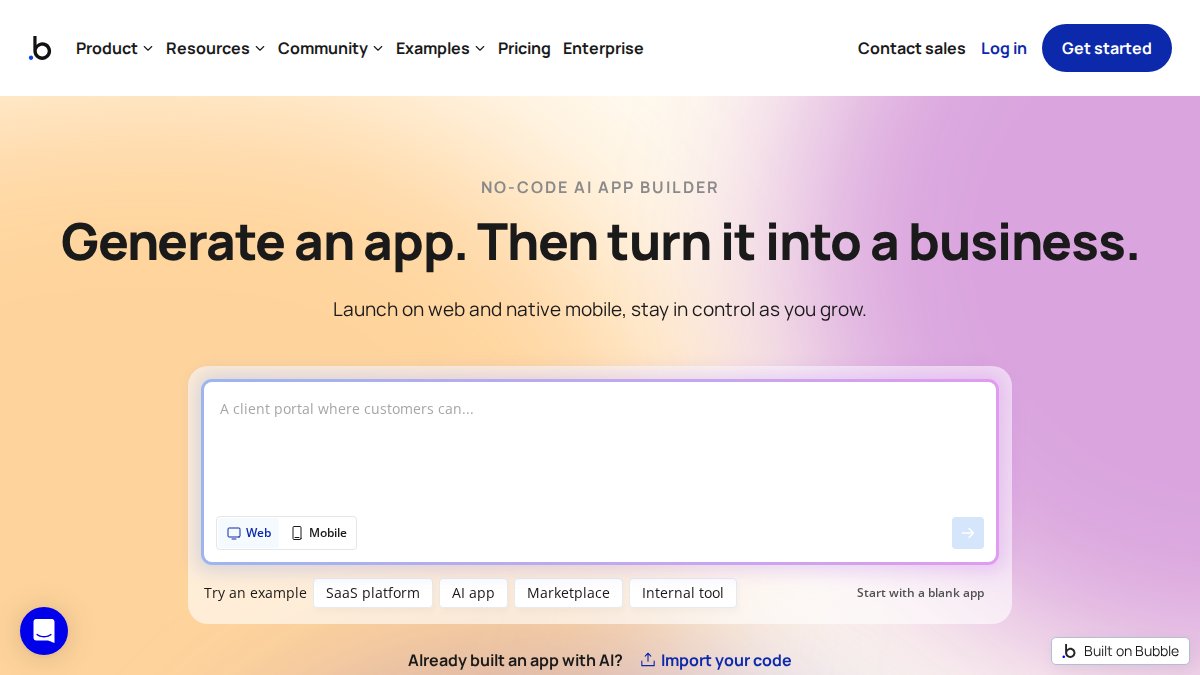
- Bubble starts from a blank canvas, so someone must design the data model, screens, and logic before a work order is logged.
- Test offline behavior by walking a tablet into a dead zone with a half-completed inspection form.
- Standardize columns before uploading logs, since skipping this step is the most common failure.
- At 90 days, decide to keep and expand, fix the specific friction, or retire the app.
Table of Contents
- What Manufacturing Teams Actually Need From a No-Code App Builder
- Quick Comparison: Nine No-Code App Builders Scored for Plant Use
- 1. SubAssembly: Spreadsheet to App Builder Built for Plant Teams
- 2. Bubble: Full Custom Web Apps With API Workflows
- 3. Softr and WeWeb: Design Flexibility for Workflow Apps
- 4. Baserow, Thunkable and Zite: Table-First, Mobile-First and Prompt-First Builders
- 5. Zapier and Launchpad: Manufacturing Workflow Automation Tools, Not App Builders
- How No-Code Manufacturing Software Handles Offline, Integrations and Governance
- Building a No-Code Maintenance Management App From Your Existing Logs
- Measuring ROI: Cycle Time, Downtime and Defect Rate After Deployment
- Frequently Asked Questions
What Manufacturing Teams Actually Need From a No-Code App Builder
A no-code app builder is a development platform that lets plant teams create custom business applications through visual interfaces and AI prompts instead of hand-written code. Most generic builders, however, were designed for startups shipping customer portals, not for supervisors tracking work orders on a shop floor with spotty Wi-Fi.
That mismatch is the whole story here. This guide scores nine platforms against the requirements that actually decide whether a plant app survives its first month: offline operation, industrial integrations, permissions, and time to deploy.
Below, we show you exactly which builders fit which plant use case, and where each one falls short. The distinction matters because a tool that demos beautifully in a conference room can fail the first time a maintenance tech needs to log a breakdown with no signal.
Shop-Floor Requirements That Rule Out Generic Builders
Four requirements eliminate most generic builders before pricing even enters the conversation.
- Offline capability. Work orders, quality inspections, and maintenance management happen in areas with dead zones. An app that requires a live connection is a clipboard with extra steps.
- Role-based access control. Operators, supervisors, and quality leads need different permissions on the same data.
- Industrial integrations. Production tracking and inventory management only pay off when the app talks to existing systems and data sources.
- Setup speed. A builder that takes three months to learn never gets adopted by a 15-person floor team.
What most guides miss is that ease of use is not the same as fit. A drag-and-drop development tool can be simple and still be wrong for shop-floor operations.
Quick Comparison: Nine No-Code App Builders Scored for Plant Use
Here is the short version before the detailed reviews.
| Platform | Best For | Starting Price | Manufacturing Fit |
|---|---|---|---|
| SubAssembly | Spreadsheet-driven plant apps | See pricing page | Strong |
| Bubble | Custom web apps with API workflows | $32/mo billed annually | Moderate |
| Softr | Workflow apps with design flexibility | Not stated | Moderate |
| WeWeb | Workflow-oriented front ends | Not stated | Moderate |
| Baserow | Table-first data apps | Not stated | Moderate |
| Thunkable | Mobile-first apps | Not stated | Limited |
| Zite | Prompt-first business apps | Not stated | Limited |
| Zapier | Workflow automation between apps | $19.99/mo | Supporting role |
| Launchpad | Workflow-centric B2B apps | $900/mo | Supporting role |
For a deeper side-by-side of features and workflows, see our guide to the best no code manufacturing apps.
1. SubAssembly: Spreadsheet to App Builder Built for Plant Teams
SubAssembly is our top pick because it starts from the data plants already have: spreadsheets. Upload your current maintenance, inventory, or production files and the platform generates a working app in about 60 seconds, with pricing shown before you build.
The practical difference shows up fast. The spreadsheet itself is the source for the app. An AI-powered voice and web interface provides access to plant knowledge, documentation, and real-time operational data.
Integrations with AWS, Azure, Google Cloud, and Databricks connect the app to cloud data sources. For teams weighing this against other platforms, it helps to understand what an AI manufacturing app builder actually is and where it stops. You can also watch it happen in unedited recordings of a spreadsheet becoming an app.
Best for: plant managers and supervisors digitizing paper logs without IT support. Skip if: you need a fully custom consumer-grade web product with bespoke design.
2. Bubble: Full Custom Web Apps With API Workflows
Bubble earns its place for teams that need genuine application logic. Bubble offers paid plans that include API workflows; check its website for current pricing.
Where it falls short is the starting point. Bubble begins with a blank canvas, so someone has to design the data model, the screens, and the logic before a single work order gets logged.
3. Softr and WeWeb: Design Flexibility for Workflow Apps
Softr and WeWeb are no-code builders focused on design flexibility and workflow capability.
Check each vendor's website for current pricing, and test offline behavior and industrial integrations directly before you commit.
4. Baserow, Thunkable and Zite: Table-First, Mobile-First and Prompt-First Builders
These three split cleanly by starting point. Baserow is table-first, with the ability to add new tables and create relationships between them. Thunkable leans mobile-first. Zite is prompt-first, building apps from descriptions without writing code.
Each leaves manufacturing-specific setup to you, so test shop-floor offline requirements and industrial integrations before you commit.
5. Zapier and Launchpad: Manufacturing Workflow Automation Tools, Not App Builders
Zapier connects apps and automates workflows across many tools. Check its website for current pricing. Use it to push a completed inspection into a shared system, not to build the inspection app itself. Once an inspection is recorded in a shared system, Teamstead Crew can help connect that workflow to the ongoing maintenance work needed to keep industrial equipment in service.
Launchpad is a workflow-centric builder for B2B applications. Check its website for current pricing and test manufacturing features directly before you commit.
How No-Code Manufacturing Software Handles Offline, Integrations and Governance
No-code manufacturing software succeeds or fails on three technical questions, and the answers separate plant-ready platforms from general-purpose ones. Most listicles stop at "does it have integrations?", the useful test is what happens at the edge of a dead zone, at the boundary of your ERP, and during an audit.
Offline capability: what to test before you trust it
Offline support is not a checkbox. Ask three specific questions of any builder:
- What happens mid-form when the connection drops? A plant-ready app queues the entry locally and syncs when signal returns. A generic app times out and loses the record. Test this by walking a tablet into a dead zone with a half-completed inspection.
- How are conflicts resolved on sync? Two techs editing the same work order offline will collide. Confirm whether the platform keeps both versions, timestamps them, or silently overwrites, silent overwrite is a data-integrity failure in a quality record.
- What is cached on the device? Shared shop-floor tablets need the current asset list, inspection forms, and reference docs available offline, not just the form shell.
Verify offline behavior on your own device rather than trusting a demo.
Integrations: the systems that actually matter on a plant floor
A database connection is table stakes. The integrations that decide fit are the ones your plant already runs:
- ERP (SAP, Oracle, Microsoft Dynamics, Epicor, Infor) for work orders, inventory, and cost data.
- MES for production tracking, routing, and shop-floor scheduling.
- CMMS (Fiix, Limble, MaintainX, UpKeep) for maintenance history and asset registers.
- Quality systems for inspection records, non-conformance, and CAPA.
- Machine data via OPC UA, MQTT, or a historian such as Ignition or AVEVA, usually the hardest connection for a no-code tool.
Many no-code builders reach these through REST APIs, webhooks, or a connector layer. Confirm how any platform handles high-frequency machine data or bidirectional ERP writes before you commit.
Governance, security, and validation
User roles and an audit trail are not optional when quality documentation is involved. Before deployment, confirm:
- Role-based access at the record level, not just the app level, operators enter, supervisors edit, quality leads read.
- Audit trail of who changed what and when, exportable for an audit.
- Change control so a form edit does not silently alter historical records.
- Data residency and retention if your plant operates under regional or customer-specific requirements.
For regulated or safety-sensitive processes, ask how the platform supports validation, documented change history, test records, and the ability to lock a released form version. A builder that cannot answer these questions is a pilot tool, not a production system.
Building a No-Code Maintenance Management App From Your Existing Logs
The fastest path from paper to a working no-code maintenance management app runs through the logs you already keep. Here is the process we recommend.
- Collect every log. Pull the paper binders, the notebooks, and the spreadsheets into one folder. Do not clean anything yet.
- Standardize the columns. Pick one set of headers: asset ID, date, fault, action, downtime, technician. Merge the files against those headers.
- Flag the gaps. Missing dates and duplicate entries are normal. Mark them rather than deleting rows, so the history stays honest.
- Upload and generate. Build the app from the merged file, then check that asset IDs and dates read correctly.
- Set user roles. Give operators entry rights, supervisors edit rights, and quality leads read access to documentation.
- Run a two-week pilot. Have one shift log everything in the app while a second shift keeps paper. Compare the records.

If you want the detailed version of this conversion, we walk through how to turn manufacturing spreadsheets into apps step by step.
Watch out: skipping the column standardization step is the most common failure. Upload messy files and the app inherits the mess, and your team stops trusting the data within a week.
Measuring ROI: Cycle Time, Downtime and Defect Rate After Deployment
Prove the app pays for itself with three operational metrics, measured before and after deployment, and with a decision rule for what to do with the result. Most guides list the metrics and stop; the useful part is how you capture the baseline and what you do at day 90.
The three metrics that matter
- Cycle time: average time from job start to completion, tracked per work order. Pull it from the same source before and after, if you measured from the paper log before, measure from the app's equivalent field after, not from a different report.
- Downtime: total unplanned stop minutes per asset per month, from maintenance records. Segment by asset so a single problem machine does not hide a plant-wide trend.
- Defect rate: failed inspections as a share of total inspections, by line or product. Keep the inspection definition identical across the baseline and post-launch periods.
Capturing a baseline you can defend
Set a baseline in the two to four weeks before launch, using the same definitions you will use after. A common pattern is to run the app and the paper process in parallel for one shift during that window, it costs a little extra effort but gives you a like-for-like comparison instead of an argument about whether anything improved. Record the baseline in the app itself so it travels with the deployment.
Reading the result at 30 and 90 days
Review at 30 days for adoption signals (are entries being logged, or is the app being bypassed?) and at 90 days for operational movement. A few practical reads:
- Adoption first, outcomes second. If entry volume is below the paper baseline, the metric movement is noise. Fix training or form friction before drawing conclusions.
- Look for the second-order win. Teams often see paperwork reduction and faster shift handover before cycle time or downtime moves, those are leading indicators worth reporting to leadership.
- Segment before you celebrate. A plant-wide average can mask a line that got worse. Compare by asset, line, and shift.
The decision rule
At 90 days, make one of three calls: keep and expand to the next workflow, fix the specific friction (usually form design or offline sync), or retire the app and return the process to its prior state. Retiring is a legitimate outcome, a pilot that fails fast and cheaply is a better result than a tool the floor quietly abandons.
Ready to test this on your own data? Send a spreadsheet and see what a working app looks like from your own files.
Frequently Asked Questions
Can no-code platforms really be used for manufacturing workflows?
Yes, provided the platform handles the constraints plants actually face: offline use on the shop floor, role-based permissions, and connections to existing data sources. Most general no-code app builders assume constant connectivity and treat manufacturing as an afterthought. Platforms built around production tracking, work orders, quality inspections and maintenance logs close that gap. Check offline behaviour and integration options before you commit, because those two factors decide whether the app survives a shift change.
Which no-code app builder works best for maintenance and inventory management?
For maintenance and inventory, the deciding factor is how fast you can turn existing records into a working app. A no-code maintenance management app should accept your current spreadsheet of asset IDs, service dates and parts stock without a rebuild from scratch. SubAssembly deploys from an uploaded spreadsheet in about 60 seconds. Builders that start from a blank canvas, such as Bubble, work too, but expect a longer setup before the first work order is logged.
Can I turn manufacturing spreadsheets into a no-code app?
Yes. A spreadsheet to app builder turns your existing data into an app, so the data you already maintain can become the app's starting point. Messy source files are the usual obstacle: duplicate entries, missing dates and sheets that do not share a key. Clean the identifiers first, one asset ID or part number per row, then upload. SubAssembly is built around uploading existing spreadsheets, and its pricing page shows costs before you build.
Are there free no-code app builders for manufacturing workflows?
Several platforms offer free tiers, but the supplied research does not verify which plans include the features a plant needs, such as offline access, user roles or API connections. Treat free tiers as a trial rather than a production option. The real cost question is what happens as you add users, data storage and integrations. SubAssembly shows pricing on its pricing page before you build.