 how-to
Can AI Streamline Factory Data Without a Full IT Overhaul?
Quick Summary
AI can streamline factory data without a full IT overhaul by collecting records from spreadsheets and paper logs, unifying them under shared identifiers, and analyzing the results. Start with one process, such as inventory or maintenance, rather than replacing every system at once.
- Begin with one high-cost process, usually inventory counts or maintenance work orders.
- Choose one canonical machine ID and map every source system to it.
- Export your current spreadsheet and check each row has a unique ID and a date.
- Measure hours spent retyping and count-mismatch rates before changing anything.
- Assign one data owner to decide what counts as a valid record.
Table of Contents
- Where Factory Data Gets Stuck Today
- How AI Simplifies Factory Data: Collecting, Unifying and Analyzing
- Tracking Factory Inventory and Maintenance Without Retyping
- Connecting Production Scheduling and Integration Across Systems
- Your First 30 Days: Preparing Data and Measuring ROI
- Frequently Asked Questions
Where Factory Data Gets Stuck Today
Last Updated: November 1, 2026
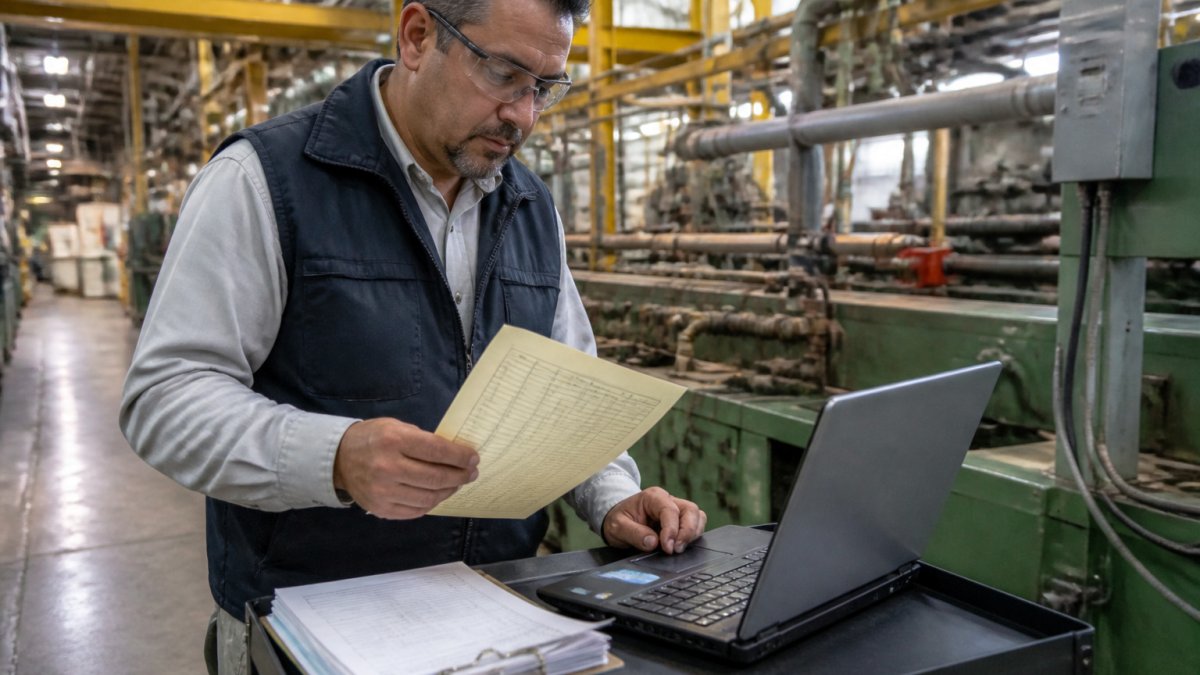
Most factories still run on a patchwork of paper logs, spreadsheets and people's memories. Learning how to streamline factory data with AI starts with seeing exactly where the data gets stuck. See the process in unedited recordings to watch a sentence or spreadsheet become a working app.
!A plant supervisor on a factory floor comparing a paper maintenance log with a laptop spreadsheet beside a production line
Spreadsheets, paper logs and the retyping problem
Many plants keep their most important records in places that cannot talk to each other. Common examples include:
- Paper maintenance logs kept at the machine
- Inventory counts in a shared spreadsheet
- Production schedules in a planner's personal file
The result is retyping. Someone reads a handwritten note and types it into a file. Mistakes creep in at every step. A single transposed digit can throw off a whole inventory count.
According to the RSM Middle Market AI Survey 2026, 88% of manufacturing respondents said AI was already at least partially integrated into their operations. That suggests many plants are already exploring ways to automate this work.
Vention's 2026 AI adoption statistics
How AI Simplifies Factory Data: Collecting, Unifying and Analyzing
AI helps streamline factory data in three steps: it collects data, it joins data from different sources, and it finds patterns. Each step removes a part of the manual work.
Collecting means pulling data from where it already lives.
Manufacturing is one of the sectors expected to gain the most. National University's AI statistics and trends analysis projects that manufacturing could gain $3.8 trillion from AI by 2035.
Watch out: AI only works as well as the data it reads. Messy records with missing dates will produce messy answers. Clean up the most important fields first.
Tracking Factory Inventory and Maintenance Without Retyping
Inventory and maintenance are often the first places plants see results. Plants that want to stop retyping spreadsheets can turn those files into working tools. Follow a step-by-step way to convert Excel files into maintenance and inventory tools.
SubAssembly lets plant teams upload existing spreadsheets and turn them into no-code apps for maintenance, inventory, production and quality management. Try an inventory control tower built for plants to see on-hand stock, shortages and supplier status from your own exports.
Here is a simple way to begin:
- Export your current inventory or maintenance spreadsheet.
- Check that each row has a unique ID and a date.
- Upload the file and review the fields it detects.
- Test the app with a few real records before rolling it out.
For maintenance, a basic CMMS can replace paper logs with work orders and machine history. Test a simple CMMS on your own machines without involving developers.
Best for: small plants with one or two people who manage spares and work orders. Skip if: you need a full ERP replacement.
Connecting Production Scheduling and Integration Across Systems
Scheduling is where data gaps cost the most money. Planners need to see those changes quickly, and they need the numbers they see to match the numbers on the floor. Read what a scheduling app should show the planner and why plant context matters.
The hard part is not the scheduling algorithm. It is getting production data out of the systems that already run the plant.
A practical integration pattern
A common pattern that works without a full rip-and-replace is a lightweight integration layer between the shop floor and planning tools:
- Inventory the sources. List every system that holds production-relevant data: ERP, MES, SCADA, historian, quality system, maintenance system, and any spreadsheets still in use. For each, note the owner, refresh frequency, and export method.
- Pick a canonical identifier. Choose one machine ID scheme and map every source to it. This mapping table is the single most valuable artifact in the project; keep it versioned and owned by one person.
- Extract on a schedule that matches the decision. Scheduling does not need millisecond data. A 5- to 15-minute refresh from the historian and a daily ERP extract are often enough. Real-time dashboards may need faster historian reads, but do not over-engineer the planning feed.
- Stage before you serve. Land raw extracts in a cloud data platform such as AWS, Azure, Google Cloud, or Databricks, then transform them into a clean, documented model. This staging step is what lets you handle missing values, late-arriving records, and unit mismatches without breaking the scheduler.
- Expose one version of the numbers. Point reporting and planning tools at the staged model, not at the source systems. When a planner and a supervisor disagree, they can trace the difference to a specific source and transform.
SubAssembly connects to cloud data platforms, including AWS, Azure, Google Cloud and Databricks.
Handling legacy equipment and messy data
Legacy machines are not a reason to stop. Three approaches cover most cases:
- Gateway devices that read PLC tags over protocols such as OPC UA or Modbus and publish them to a broker or cloud endpoint. This is the standard path for older equipment that still has a programmable controller.
- File and API extracts for systems that already export CSV, Excel, or JSON. Many ERPs and MES platforms expose scheduled exports or REST APIs; use them before considering direct database access.
- Manual capture as a fallback for machines with no digital output. A simple form on a tablet is still better than a clipboard, because it timestamps the entry and puts it in the same pipeline as everything else.
Missing and inconsistent data will happen. Decide up front how the pipeline should behave: reject the record, fill with a documented default, or flag it for review.
Integration does not have to mean a full ERP replacement. Start with the one system that causes the most errors, connect it, and expand from there.
The article breaks down the systems a plant typically runs, and the common identifier mismatch that makes schedules unreliable.
| System | What it holds | Example machine name |
|---|---|---|
| Historian | Time-series tags from PLCs | PRESS-04 |
| MES | Work orders and routing | Press 4 |
| ERP | Orders and inventory | P04 |
Your First 30 Days: Preparing Data and Measuring ROI
Preparation matters more than tools. Most failed factory AI projects skip the readiness work and jump straight to a dashboard. The first 30 days should produce two things: a cleaned, documented data set for one process, and a baseline you can compare against later. This is the step-by-step plan competitors tend to leave out.
Week 1: Audit what you have
List the five spreadsheets or logs your team uses most. For each, record:
- Who owns it and who updates it
- How often it changes
- Which fields are required versus nice-to-have
The goal is not to clean everything. It is to find the one process where bad data costs the most time or money, usually inventory counts or maintenance work orders. Pick that as your pilot.
Week 2: Define data quality rules and clean the key fields
For the pilot process, write down the rules the data must follow: every row has a unique ID, every record has a date, quantities are in a single unit, and machine names match the canonical identifier from your integration mapping.
Assign a data owner for the pilot. This person decides what counts as a valid record and handles exceptions. Without an owner, cleanup decays within weeks.
Week 3: Build one app and test it with real work
Build one app for inventory or maintenance and run it alongside the old process for a few days. Ask operators and supervisors to use it for real records, not test data. Watch where they hesitate or work around the form; that feedback is more valuable than any feature list.
Week 4: Measure against a baseline
Measure the baseline before you change anything, ideally in Week 1. Record concrete numbers:
- Hours per week spent retyping or reconciling records
- Error or count-mismatch rate per week
- Time from a stoppage or quality event to a logged record
Then compare the same metrics after 30 days. Those before-and-after figures are the business case. Keep the measurement method identical so the comparison holds up when you present it to management.
A defensible ROI case needs three things: a baseline measured before the change, the same metric measured after, and a stated cost for the tool and the staff time to run it. Without the baseline, any benefit claim is an opinion.
Keep people in the loop
Operators and supervisors will use the tools only if they trust them. Ask for feedback early and adjust the forms to match how the floor actually works. Show them the before-and-after numbers too; seeing their own retyping hours drop is more convincing than a vendor demo. Human oversight is not a barrier to AI in the factory. It is how the recommendations get validated and how the data stays clean after the pilot ends.
Frequently Asked Questions
How can AI streamline factory data?
AI streamlines factory data by reading information from spreadsheets, paper logs that have been digitized, and machine sensors, then matching records that describe the same job, part or machine. Instead of retyping figures into several files, teams enter or upload data once and let the system organize it. Plant staff can then ask questions in plain language and get answers drawn from the combined records. The gain is fewer duplicate entries and faster access to the information already on the floor, rather than a new layer of reports nobody reads.
What types of factory data can AI analyze?
AI can analyze production counts, scrap and defect records, quality measurements, maintenance histories, inventory levels, shift notes and machine sensor readings. Messy inputs such as missing dates or duplicate rows usually need a cleanup pass first, though many tools flag these problems automatically. The most useful starting point is whatever data your team already records every week, because it reflects real operations. Start with one or two data sets, confirm the results match what supervisors already know, then add more sources.
Can AI help track factory inventory?
Yes. When stock counts, part numbers, reorder points and usage records live in one connected place, AI can flag items running low, spot parts used more often than planned, and show where stock is tied up. Plant teams can ask direct questions such as which spare parts are needed for a given machine. Accuracy depends on how consistently receipts and issues are recorded, so tracking discipline still matters. Pricing and plan details for tools like this are shown on the SubAssembly pricing page.
How do you prepare manufacturing data for AI?
Begin by listing the spreadsheets, logs and systems that hold the data you need, then agree on common names for machines, parts and shifts. Remove obvious duplicates and fill or mark missing dates before upload. Keep one owner for each data set so updates are consistent. A small pilot covering one line or one process will show quickly whether the data is usable. Review the first results with supervisors, since their knowledge catches errors that a clean-looking report can hide.
Ready to try it on your own files? Send a spreadsheet and see what an app built from your data looks like.